Why not have a georeference-a-thon?
Being an online platform, OldInsuranceMaps.net facilitates collaborative, asynchronous participation, allowing anyone with an internet connection to login and perform georeferencing tasks at anytime. However, wouldn't it be more fun to get together as a group and have everyone work on pages from the same atlas at the same time?
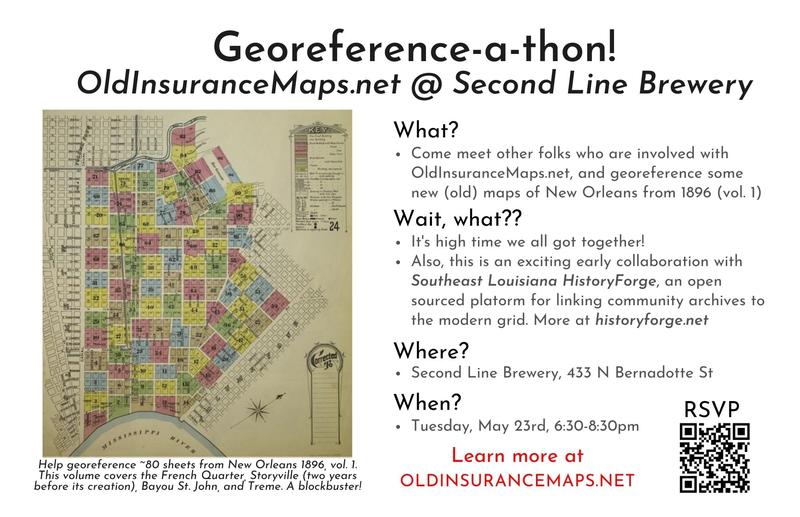
In May of 2023 we held our first "georeference-a-thon" and since then many other organizations have used OIM to facilitate similar community georeferencing events. Here are some write-ups about a few of these events:
- The Ohio State Libraries: Piloting a Sanborn Map Georef-a-thon for GIS Day 2023
- Healthy Regions & Policies Lab, UIUC: GIS Day 2024 – Community Georeferencing of Sanborn Fire Insurance Maps
- Center for Digital Humanities, Rowan University: Rowan’s Center for Digital Humanities Research hosts first ever map-a-thon (April 2025)
How does it work?
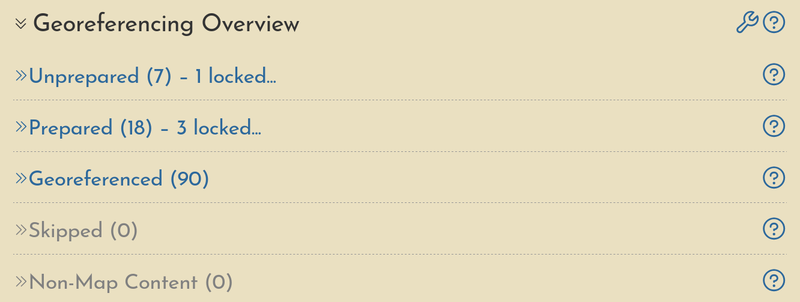
OIM is especially well-suited for multi-page atlases, organizing the work of processing each page into small tasks. Each atlas has a summary page that functions both as an access point for all activity as well as a tracker for georeferencing progress across all pages. Here are a few specific examples of how this works.
Layer locking
When a user begins working within one of the interfaces, whether splitting a document during the "preparation" step or creating ground control points during the "georeferencing" step, this action creates a lock on that resource, so no other users are able to affect the in-progress work.
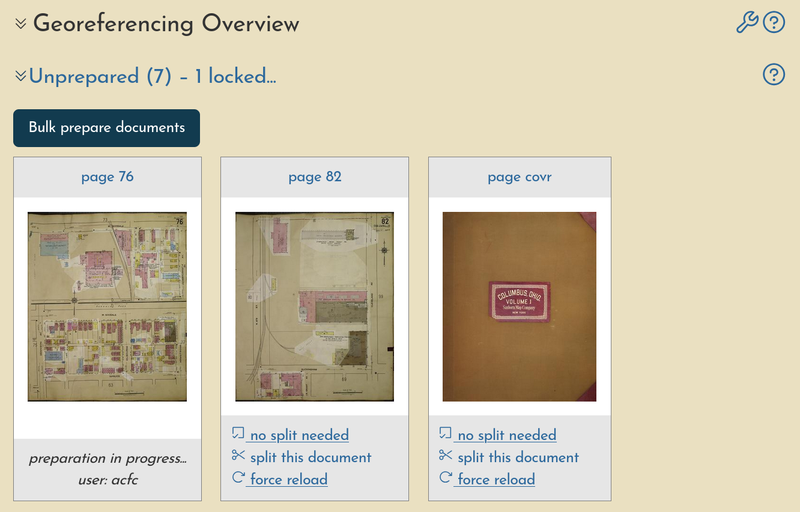
With many different people working on the same atlas at an event together, you'll soon see many sessions going on at the same time.
Cumulative user stats
Due to the way that OIM stores user-generated input, a narrative is created of who performs the work on each page. Within the map summary, a full history of all sessions performed on any pages of the atlas is provided, which can be sorted and filtered after the event as finished to get a more clear understanding of participation.
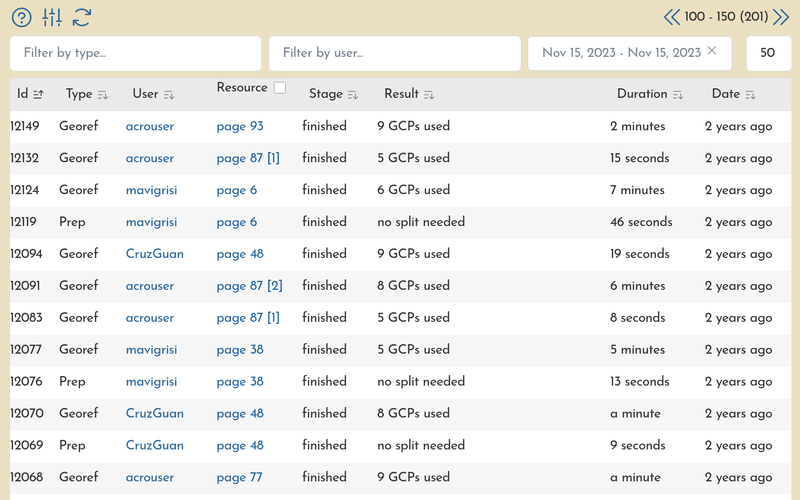
This information is also grouped by user, providing a basic set of statistics around each user's contributions.
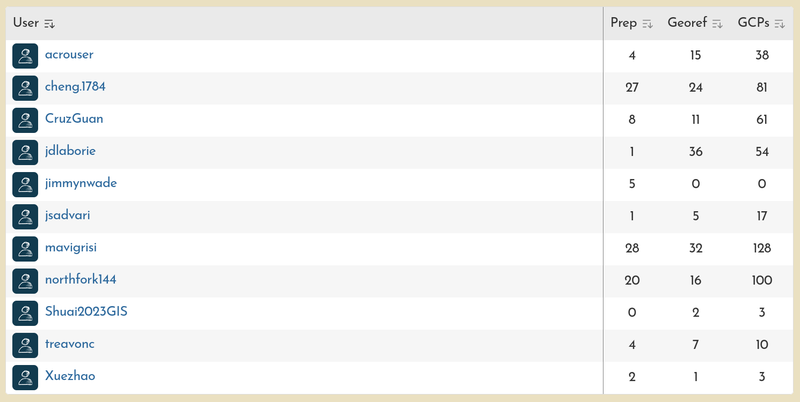
These particular examples from Columbus, Ohio shows a small slice of the activity that occurred during an event on GIS Day in 2023.
Visual progress
As pieces of the atlas are processed, the results are automatically added to a preview map, where adjacent layers begin to form a continuous mosaic as participants georeference each one.
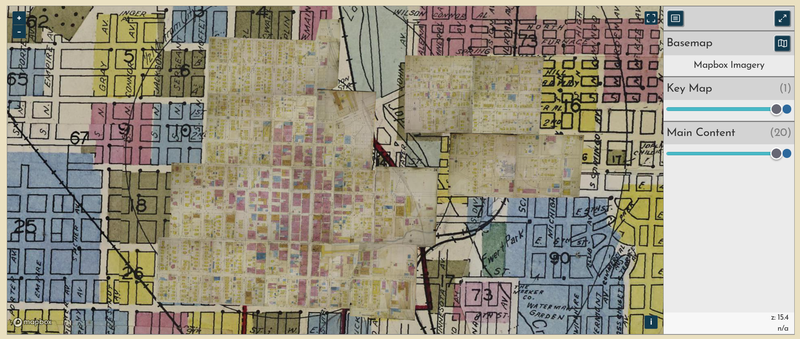
In this example from Joplin, Mo., a handful of layers have been georeferenced, including the "key map" which is displayed underneath the main content of the atlas. As more layers are created, they will slowly obscure the corresponding locations on the key map, giving a clear visual indicator of completion.
Some extra helpers
Georeferencing can be tricky, especially if you are not familiar with the city you are working on, or with navigating online web maps. Here are a few features of the OIM georeferencing interface that help new users get started and allow experienced users speed up their own process.
- Parcel lines as reference Each city, county, or state can have a modern parcel boundary dataset attached to it. This becomes an available (and snappable!) reference layer in the georeferencing interface, greatly improving the speed and quality of the work.
- Key Map as reference Once georeferenced, the key map—a small-scale "zoomed out" overview of all pages in the atlas—will automatically be added to the interface, allowing users to quickly find their page number and zoom to the correct part of town
- Other main content as reference You can also add other layers from the same atlas directly into interface, providing a way to virtually "stitch together" adjacent sheets. This feature should be used with caution, but sometimes it is the only way to handle areas that have undergone significant physical change, like around modern sports stadiums or interstates.